
Set Up Your Account
To send emails using MailCub APIs, you must have an active MailCub account and a verified domain. If you don’t have an account yet, create one from the signup page . Once your account is confirmed.
Configure your domain from the dashboard.
Prerequisite: Verify Your Domain
Before sending emails, your domain must be added and verified in MailCub.
👉 See: [Add and Verify a Domain in MailCub]
Domain verification requires setting up MX, SPF, DKIM, and DMARC DNS records at your domain provider.
Email sending will not work until domain verification is complete.
Creating an API Key
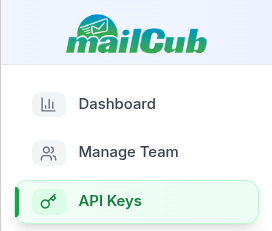
- Click API Keys in the sidebar.
- Under the API Keys tab, click Create New API Key.
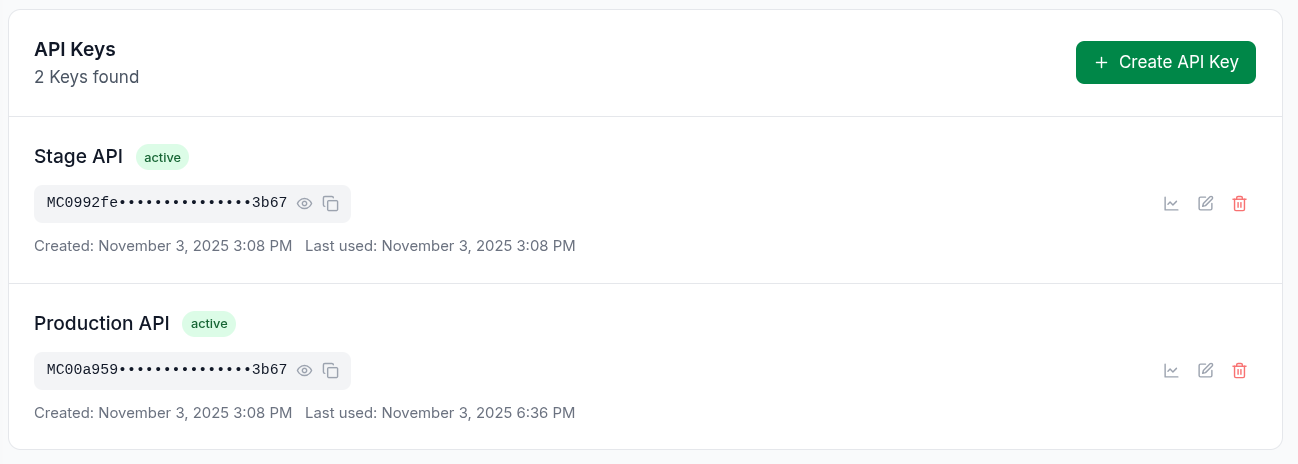
- Name your API key.
- Click Create API Key.
- Copy and store your key securely — you'll use it for every API request to send emails from your application.
If you haven’t added your domain yet:
👉 See: [Add and Verify a Domain in MailCub]
Send Your First Email
Use our official MailCub Node.js SDK or the REST API directly.
NodeJS Example
npm install mailcub
const mailcub = require('mailcub');
const secretKey = 'your-secret-key';
const emailBody = {
  email_from: 'user@yourdomain.com',
  receiver: 'user@example.com',
  subject: 'Welcome to MailCub',
  html: '<h1>Hello</h1><p>Your email was sent successfully.</p>',
  attachment: 'attachment_path' // optional
};
mailcub.sendMail(emailBody, secretKey)
  .then(() => {
    console.log('Email sent successfully');
  })
  .catch((error) => {
    console.error('Error sending email:', error);
  });
Email Content
- Always include both HTML and plain text versions.
- Use clear, descriptive subject lines.
- Personalize emails using user data.
- Keep content concise and actionable.
- Include unsubscribe links when required.
Deliverability
- Authenticate domains using DKIM and SPF.
- Maintain a good sender reputation.
- Monitor bounce and complaint rates.
- Use consistent "From" addresses.
- Avoid spam trigger words or phrases.
Performance
- Batch API calls for bulk sending.
- Implement error handling and retries.
- Monitor API rate limits.
```